
You have probably seen it. A digital menu board mounted outside a restaurant, completely unreadable at noon. A charging station screen covered in condensation. An information kiosk at a transit stop that looks fine in the morning but is blank by afternoon because the heat killed it.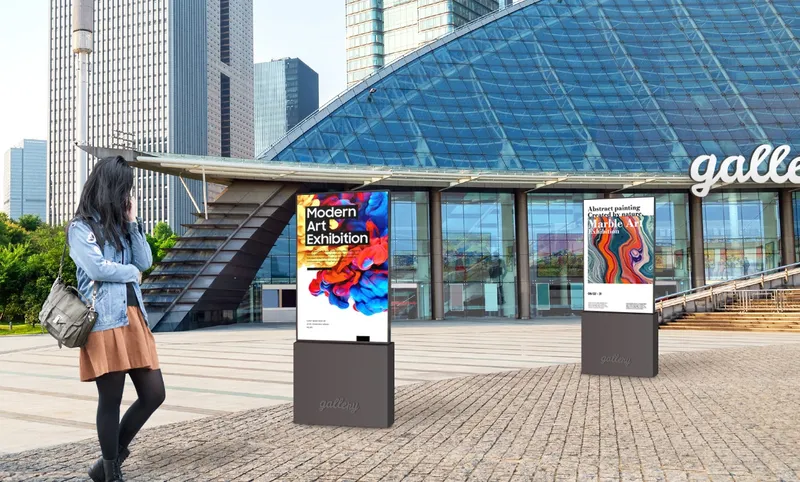
That is the gap between "a screen mounted outdoors" and an actual outdoor display.
Putting a regular monitor outside and hoping for the best is not a strategy. Standard screens top out around 250–350 nits of brightness — fine for an office, invisible under the sun. They have no sealing against dust or moisture. Their internal components are not rated for temperature swings. Within weeks or months, they fail.
An outdoor high brightness display is engineered differently from the ground up. Whether you are deploying an outdoor waterproof display in a rainy climate or setting up large-scale outdoor digital signage, here is what separates a system that works from one that does not.
Brightness Is Not a Number. It Is Visibility.
When a manufacturer says a screen is "sunlight-readable," ask what that actually means. There is no universal standard for the term. What matters is the nit count — and more importantly, whether that brightness holds up under real sunlight, not just in a test lab.
A standard indoor monitor produces 200 to 300 nits. Hold it in direct sunlight and you see your own reflection, not the content. For an outdoor high brightness display, 1,000 nits is the baseline. At this level, the screen stays readable on an overcast day or in shaded outdoor areas.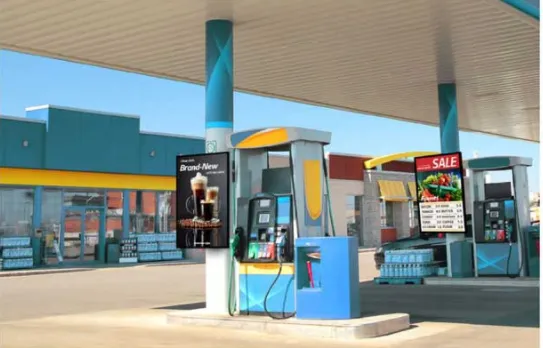
For full sun — the kind you get at a gas station canopy at 2 PM in July — you need more. 1,500 nits gives you a fighting chance. 2,500 nits is where things get genuinely comfortable. At 3,500 nits, which is what premium outdoor digital signage targets — the kind built on high-grade LG or Samsung panels — the screen competes with the sun and wins. That is the whole point of an outdoor high brightness display — not just being visible for a moment, but staying comfortably readable hour after hour, season after season.
But raw brightness alone is not enough. A glossy screen at 2,500 nits still turns into a mirror. That is where the front surface comes in.
The Front of the Screen Matters as Much as the Backlight
An outdoor display needs to solve two problems at once: it has to be bright enough to overpower ambient light, and its surface has to reject reflections rather than amplify them.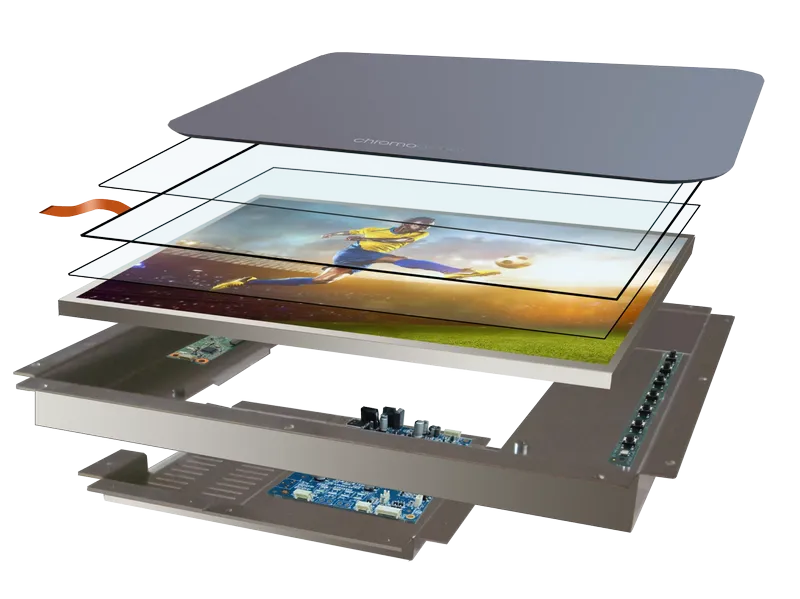
The standard solution is optical bonding. Instead of leaving an air gap between the LCD panel and the protective glass — which creates internal reflections and a visible "double image" effect — the two layers are fused together with optical-grade adhesive. The result: dramatically reduced reflections, better contrast, and no internal fogging when temperatures shift.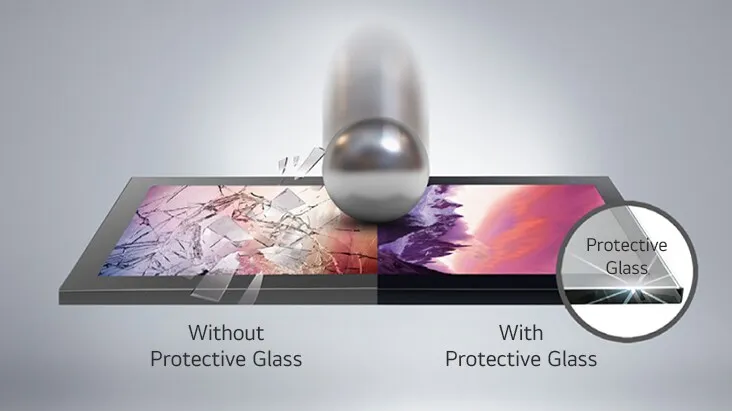
On top of that, the glass itself matters. Anti-reflective coatings cut down the mirror effect. A matte or high-haze surface diffuses specular highlights. Tempered safety glass rated IK10 means the screen can take a physical hit — a stray baseball, a kicked stone, an attempted vandalism — without the LCD panel behind it cracking.
LG calls it optically bonded protective glass. Samsung brands theirs as Magic Protection Glass. The naming varies. The function does not: if your outdoor screen does not have some form of impact-rated, anti-reflective front glass, it is a liability.
Weatherproofing: IP Ratings, Explained in Plain Terms
IP stands for Ingress Protection. The two digits after it tell you exactly what the enclosure can keep out.
The first digit is solids — dust, sand, debris. A 5 means the enclosure is dust-protected. A 6 means it is dust-tight. For outdoor use, you want a 6.
The second digit is liquids. A 5 means the screen can handle water jets from any direction. A 6 means it can take powerful water jets — the kind you get from a pressure washer or a coastal storm.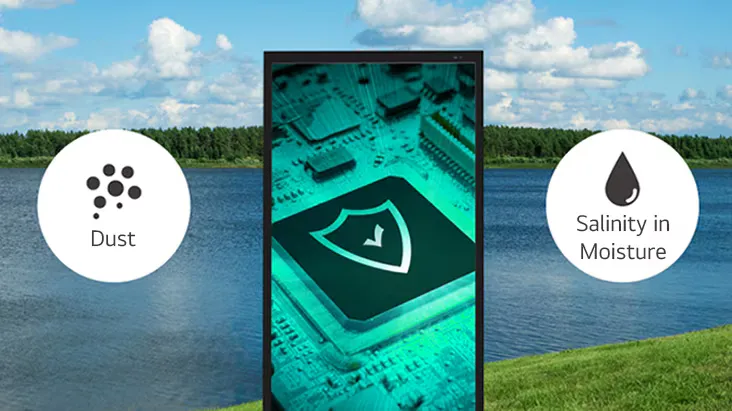
So an IP65 display is dust-tight and jet-proof. Good for most outdoor installations under an awning or partial cover. IP66 is dust-tight and can handle high-pressure water — relevant for car washes, food processing plants, and anywhere crews use hoses. For the vast majority of outdoor applications, IP65 or IP66 is all the protection you need.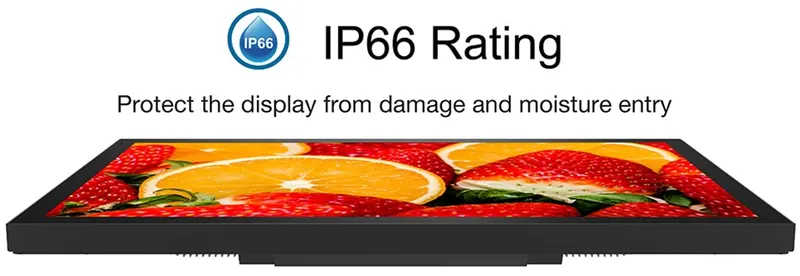
A genuine outdoor waterproof display earns its keep in the scenarios where water is relentless — tropical rainy seasons, coastal salt spray, daily hose-downs at a food processing line. But here is what the rating alone does not tell you: whether the display can handle being frozen at -20°C overnight and then blasted by midday sun the next day. That is a thermal shock problem, not an ingress problem, and it kills displays just as effectively as water does.
Cold Nights, Hot Days, and Why Most Screens Can Not Handle Both
A display baking in direct sunlight does not just get hot on the surface. The internal temperature climbs. Components expand. If the enclosure is sealed — which it has to be, for weatherproofing — there is no airflow to carry heat away. The backlight itself generates heat. Over time, this degrades the LCD panel unevenly. You get yellowing. You get dark patches. LG acknowledges this openly — they call it screen yellowing and black circles, and their panel technology includes dedicated anti-discoloration measures to fight it.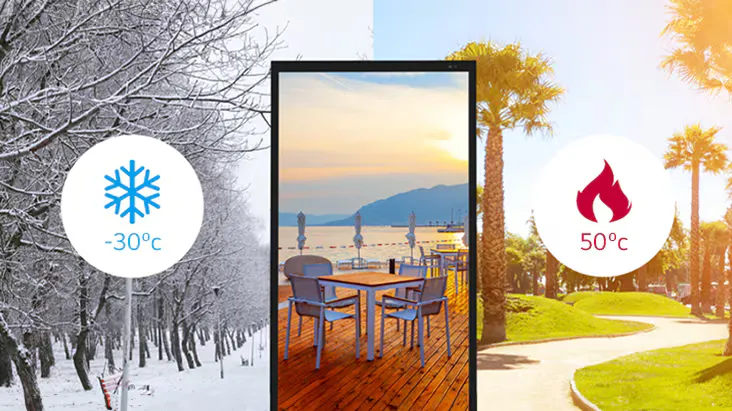
On the other end, extreme cold makes liquid crystals sluggish. Touch sensors become unresponsive. Condensation forms inside if the enclosure is not properly sealed and the internal air was not dry enough during assembly.
The spec to look for is operating temperature range. A good outdoor high brightness display should cover at least -20°C to 70°C — that handles everything from a northern winter morning to a desert summer afternoon. MTBF — Mean Time Between Failures — should be 50,000 hours or more. If your outdoor digital signage has a lower rating, you are budgeting for early replacements.
If It Has Touch, There Are Extra Rules
An outdoor touchscreen adds another layer of complexity. The touch sensor has to work through protective glass, in the rain, with gloved hands, without false triggers from water droplets.
Projected capacitive touch — PCAP — is the standard for outdoor use. It works through thick glass, supports multi-touch, and can be tuned to ignore rain and operate with gloves. Resistive touch still exists in some legacy installations, but it scratches, wears out, and generally does not belong outdoors.
The touch overlay should be optically bonded to the glass, just like the LCD panel. If it is not, you get parallax — a visible gap between where your finger touches and where the cursor appears. You also get an extra air gap that traps reflections.
One detail that is easy to miss: the display should support a locking DC power connector and a wide input voltage range. Outdoor installations rarely have a clean 12V supply sitting right next to the screen. A 10–36V DC input range gives installers flexibility without adding a separate power converter that becomes another point of failure.
From a Charging Station to a Stadium: Where These Go, and How They Differ
Outdoor displays range from a compact 7-inch panel tucked into a parking meter to a 98-inch screen dominating a stadium concourse. The technology is the same underneath — high brightness, weatherproof enclosure, optical bonding — but the form it takes changes completely depending on where it lives.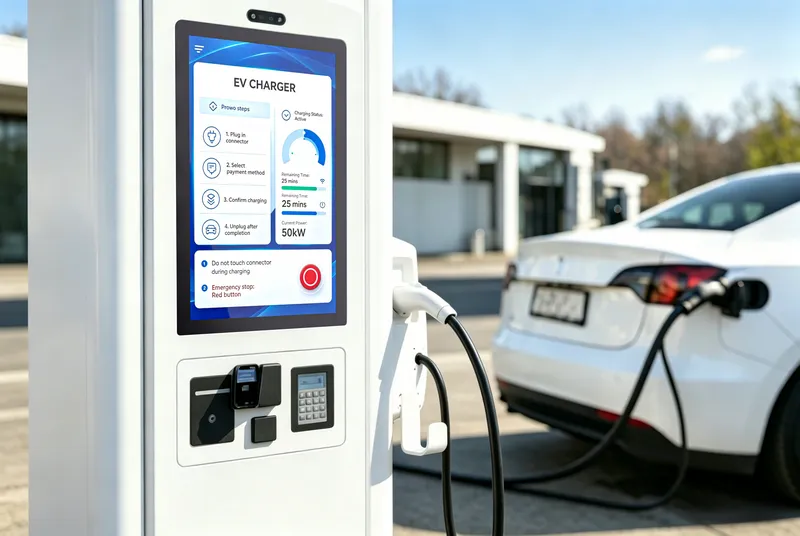
At the small end, you are looking at panel-mount touchscreens — 7 to 21 inches, designed to be flush-mounted into a machine. Think of the screen on an EV charging station, where a driver taps through payment options in full sun. Or the display built into a self-service ticketing kiosk at a train station. Or the interface panel on an outdoor ATM. These are almost always touch-enabled, optically bonded to eliminate the gap between glass and LCD, and sealed to at least IP65 on the front face. They run on wide-range DC power — 10 to 36 volts — because the thing they are mounted into rarely provides a clean, stable supply.
Move up to the 19-to-32-inch range and you are in industrial and semi-public territory. Parking payment terminals. Drive-thru menu boards. Factory-floor control panels. Car wash interfaces where someone is going to point a high-pressure hose directly at the screen. Here, IP66 matters more than IP65. The enclosure is often stainless steel — not for looks, but because anything else rusts after one season outdoors. These displays tend to be fanless and ventless, because a fan pulling humid air into the chassis is asking for condensation on the internal electronics.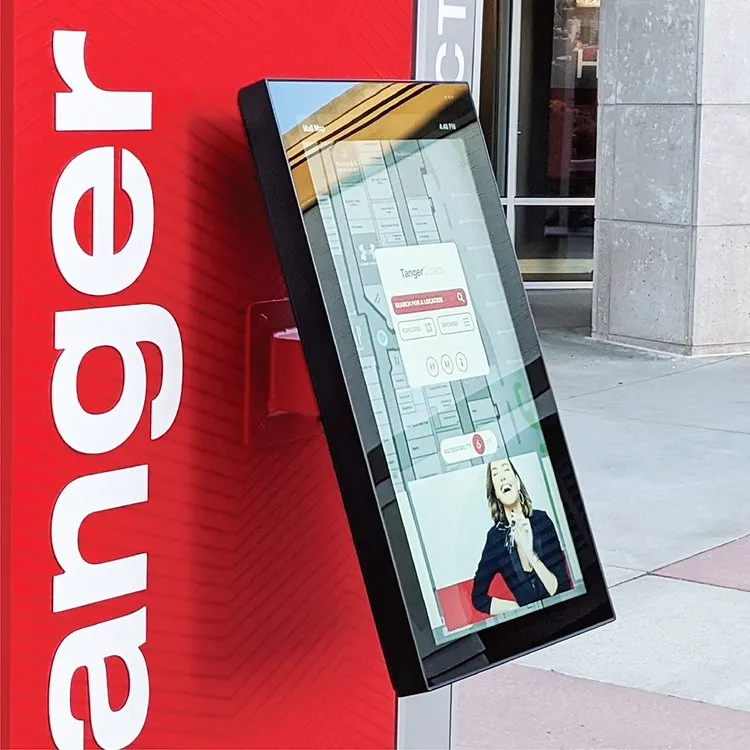
From 43 inches up, you enter outdoor digital signage territory. The game changes from "interactive terminal" to "broadcast surface." These are the screens you see mounted above storefronts, installed as window-facing LCD displays behind retail glass, inside transit shelters, on poles in public plazas — the kind of outdoor digital signage that replaces static billboards with video, animation, and real-time updates. Brightness needs to be higher — 2,000 nits minimum, often 3,500 — because there is no shade, no awning, and the viewing distance is measured in meters, not inches. At this scale, 4K resolution starts to matter because people will notice the pixels. Anti-reflection technology moves from "nice to have" to "the only reason the screen is readable at all." At this scale, the glass matters as much as the backlight.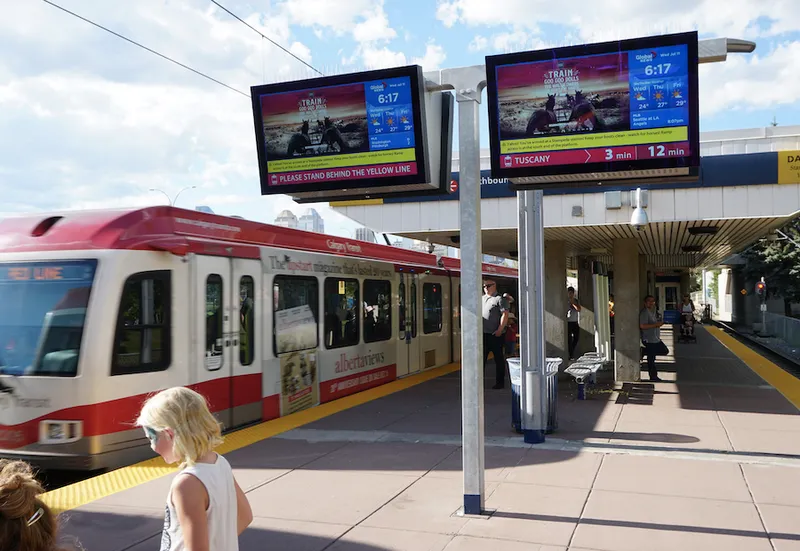
At the extreme end — 65 inches and above — you are building something closer to outdoor digital architecture than a monitor. These go into sports stadiums, flagship retail facades, and large-format advertising networks. They are custom-installed, often inside purpose-built enclosures, and engineered for years of continuous operation with zero maintenance access. If a 75-inch display fails on a building facade, you need a crane to reach it. The engineering has to account for that upfront.
Then there are the odd shapes. Stretched bar-type displays, cut from standard LCD panels into ultra-wide aspect ratios. You see these above subway platform doors showing arrival times, or mounted along retail shelves as digital price strips. They solve a specific spatial problem: the space is wide and narrow, and a standard 16:9 rectangle simply does not fit.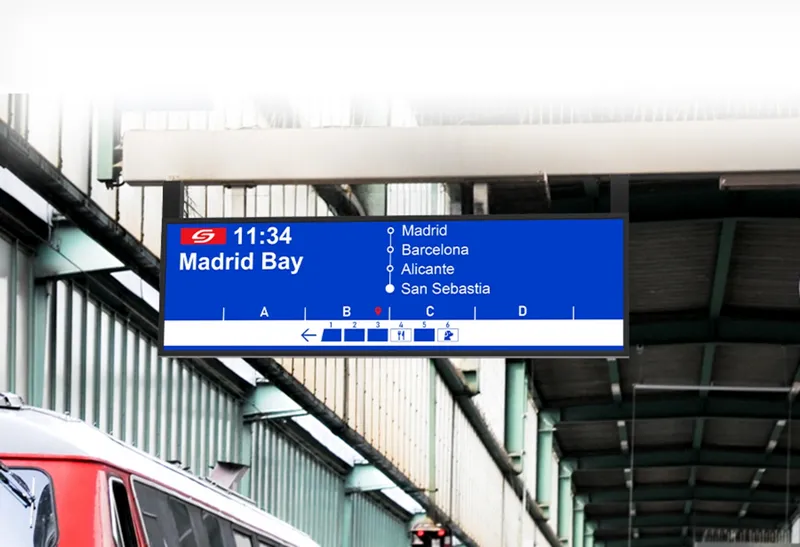
None of these are fundamentally different products. A 10-inch charging-station touchscreen and a 55-inch storefront advertising display share the same core technology — high-brightness LED backlight, optically bonded panel, weatherproof enclosure, wide temperature tolerance. Whether it is a compact outdoor waterproof display or a massive outdoor digital signage board, what changes is the size, the touch requirement, the mounting method, and how much abuse the specific environment is going to throw at it. A good outdoor high brightness display manufacturer can walk you through all of these without making each one sound like a separate invention.
What Actually Separates a Good Outdoor Display from the Rest
You can read spec sheets all day and still not know which display will hold up. Here is a checklist that goes beyond marketing copy:
Brightness with context. Not just a peak nit number — ask whether the screen auto-adjusts based on ambient light. A 2,500-nit screen running at full blast at night is a safety hazard and an energy waste.
Optical bonding, confirmed. If the manufacturer cannot clearly state that the panel is optically bonded, assume it is not. Air-gap assembly is cheaper and worse in every way that matters outdoors.
Real IP testing, not just a claimed rating. Certification matters. Self-declared ratings are not the same as independent lab verification.
Thermal management, not just a temperature range. Ask how the display handles heat. Passive cooling via heatsink? Active fans? (Fans fail. Avoid them if possible.) Conformal coating on the PCB to prevent moisture damage?
Serviceability. If the display fails after three years, can you replace the backlight, or do you throw the whole unit away? Modular designs cost more upfront and save money over time.
Long-term availability. If you are building a product — a kiosk, a charging station, a signage network — you need the same display available for years. Integrators get burned when a display is discontinued and their entire enclosure design has to change. The manufacturers who take this seriously make it a selling point for good reason.

One Last Thing
The difference between an outdoor display that works and one that does not is rarely visible in a showroom. It shows up six months later, after a summer of direct sun and a winter of freezing rain. It shows up when a touchscreen at an unattended kiosk keeps working through a thunderstorm. It shows up when a transit display at a bus stop is still readable at high noon in August.
Buying on price alone almost always costs more in the long run. The display is the cheapest part of the replacement — what hurts is the labor, the downtime, and the customer experience you lose while it is broken.
Get the brightness right. Get the weatherproofing right. Get the glass right. Whether you need an outdoor high brightness display for a sun-drenched storefront, an outdoor waterproof display for a wash-down environment, or outdoor digital signage to run a city-wide advertising network — the same rules apply. Everything else follows.

