
A first-time visitor parks on level 2 of a regional medical campus, crosses a sky bridge, and steps into a lobby where three wings, two lift banks, and a printed directory from before the last renovation all compete for attention. She needs the cardiac diagnostics suite. The board is out of date.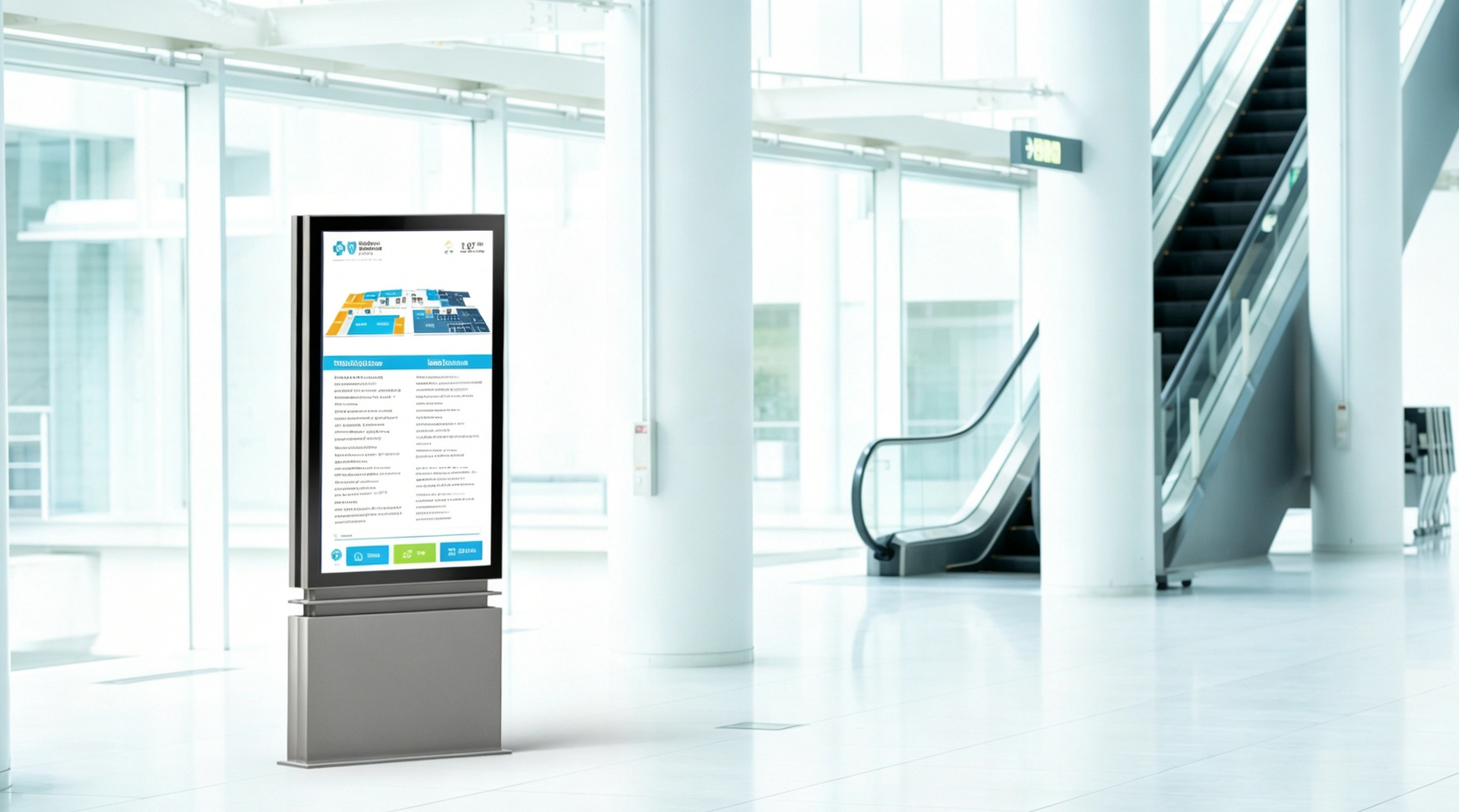
Static wayfinding does not age gracefully. It breaks on the day the building changes — a department relocates, a store moves floors, an entrance closes for construction. Wayfinding digital signage exists to make the map always match the building. Done well, it is not one screen but a small network of them: interactive directories where visitors search, plus a layer of always-on directional displays that keep people moving between decision points.
💡 Quick Answers — Wayfinding Digital Signage
What counts as wayfinding digital signage?
Any screen that replaces a static directory or directional sign: touch directory kiosks with searchable maps, non-touch floor and directional displays, and lobby welcome boards. Together they answer "where is X, and how do I get there" with information that stays current.When does it actually pay for itself?
Wherever layouts or tenant lists change — commercial buildings see tenant turnover of roughly 14–20% a year — and wherever most visitors are unfamiliar with the space. Reported payback is typically 18–36 months, driven by less staff time spent giving directions, fewer late or missed appointments, and the end of the reprint cycle.What screen specs matter most?
It depends on where the screen sits. Interior corridors need only modest brightness; glass-front lobbies, atria, and window-facing directories need 1,000–4,000+ nits with optical bonding and anti-reflection; fully sun-exposed kiosks need 2,500 nits or more plus weatherproofing. Size and orientation follow viewing distance.Do all wayfinding screens need touch?
No. Search-heavy venues — hospitals, campuses, multi-tenant offices, malls — need interactive kiosks at their main decision points. Corridors and lift lobbies are usually better served by non-touch displays that give a glanceable direction and can be overridden instantly in an emergency.
What Wayfinding Digital Signage Is: Three Screen Roles
Most wayfinding projects are a mix of three display types, each with a different job.
Interactive directory kiosks do the heavy lifting. A visitor searches for a department, shop, room, or person by name or category, gets a route, and often scans a QR code to carry the route on their phone. This is where "progressive disclosure" lives — the screen shows only what the visitor asked for, instead of a wall of names.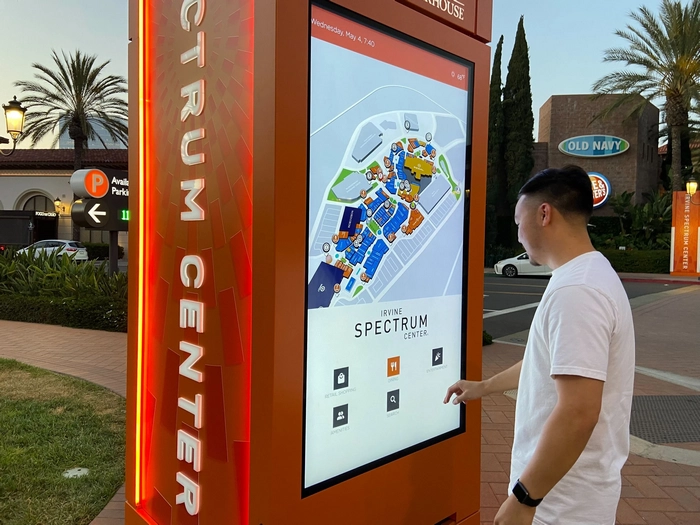
Directional and floor displays keep people moving after they leave the kiosk. Mounted at lift lobbies, corridor junctions, and stairwells, they show "You Are Here" maps, floor lists, or arrows — content designed to be read in about three seconds, not studied.
Lobby welcome and directory screens sit at reception and do double duty: orienting guests and running welcome, wayfinding, and event content on the same panel.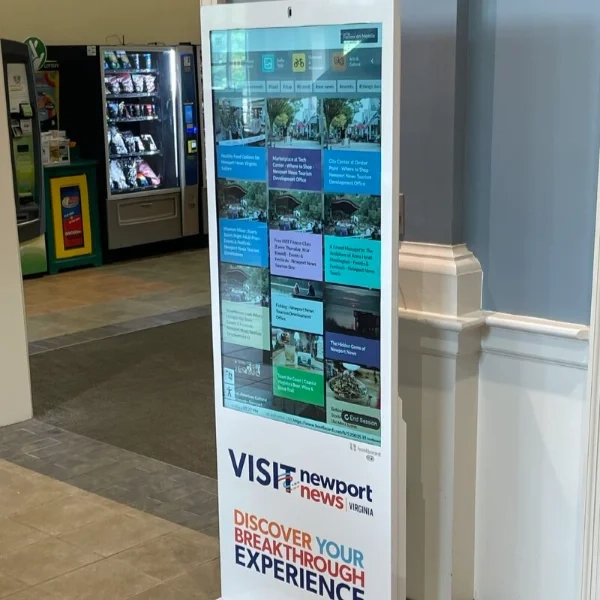
There is a fourth, quieter role that is easy to overlook: the window-facing directory. A mall or mixed-use building may place a store directory or wayfinding totem inside the glass facade so it serves pedestrians at street level — including after hours, when the building is closed, locked, and staffed by nobody. That placement changes the hardware spec completely, as covered later.
Why Facilities Are Replacing Printed Directories
The economic case for digital wayfinding keeps getting stronger, and it rests on three arguments.
Getting lost is expensive. Industry research consistently quantifies the cost. Around 30% of first-time visitors get lost in large hospitals, and over 85% of patients ask for directions at some point. Directing them absorbs front-line staff — studies put reception time spent on wayfinding questions at 15–25% — and one medical center reported cutting staff direction time by 42% after installing interactive kiosks. The wider claims are just as large: U.S. brick-and-mortar retailers are estimated to lose up to $50 billion a year to shoppers who cannot find what they came for, and airports lose hundreds of millions in concession revenue from stressed, lost passengers. In healthcare, missed and late appointments cost the system an estimated $150 billion a year; hospitals using digital wayfinding have reported up to 25% fewer missed appointments.
Static boards break by design. A printed directory starts being wrong the day the first tenant moves. With commercial tenants turning over 14–20% per year, a static system is on a permanent, expensive update cycle — each reprint means new artwork, printing, and installation labor, and a single large terminal-map refresh has been priced at $10,000–15,000. Between refreshes, the wrong map quietly misdirects visitors and pushes their questions onto staff.
Digital screens can also earn. Once a directory network exists, operators can sell tenant or brand placements on it. One shopping center recovered its entire kiosk investment within 14 months from tenant advertising fees alone. And because interactive directories log what visitors search for, they produce data on what people cannot find — useful for leasing, wayfinding, and layout decisions that no printed board can provide.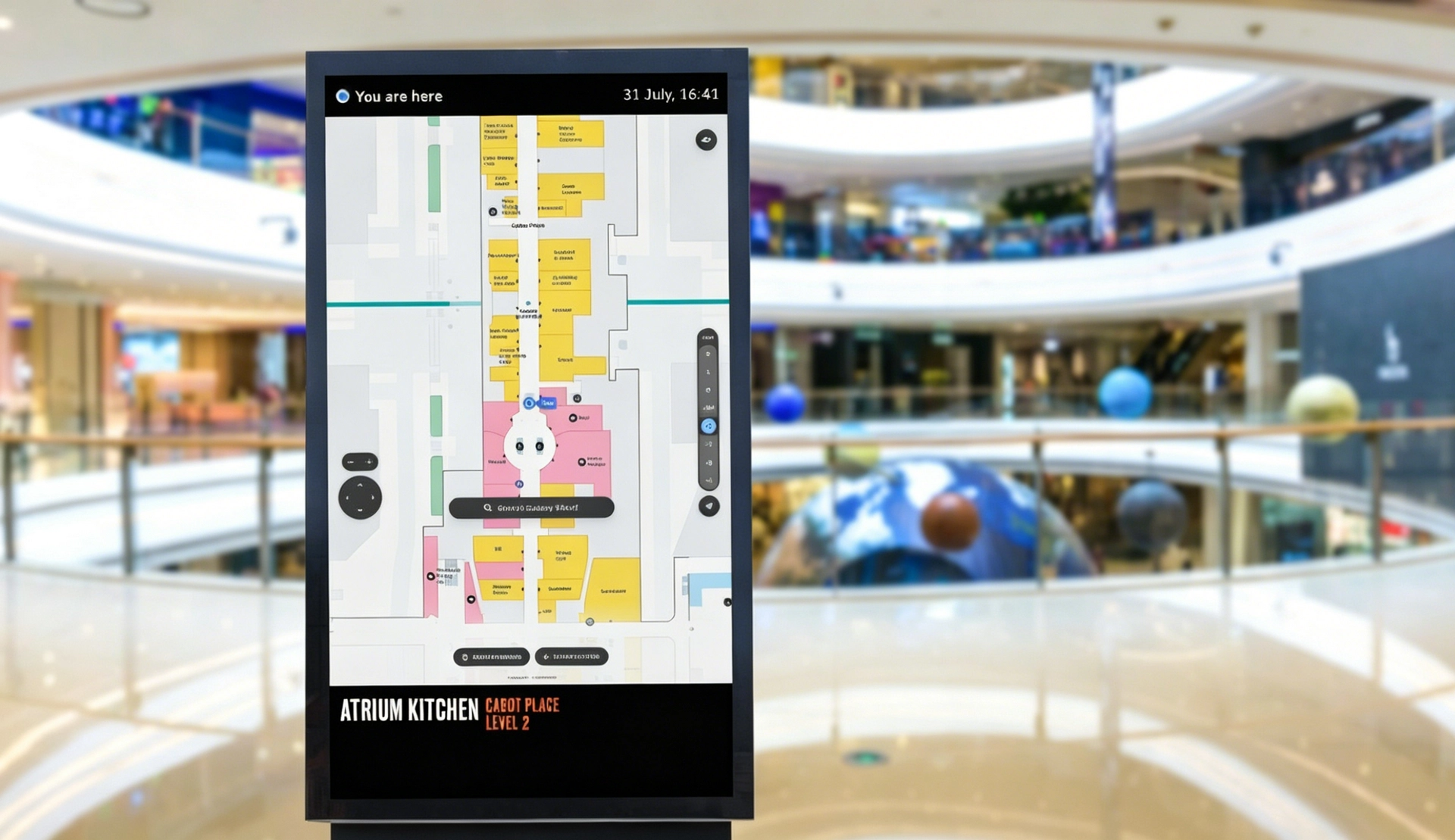
These are industry estimates rather than universal guarantees, but they explain why the dynamic wayfinding market is estimated at over $4 billion and growing at double-digit rates — with hardware, not software, still the largest share of the spend.
Where Wayfinding Digital Signage Delivers Most
| Venue | What the screens do | What it demands from the display |
|---|---|---|
| Malls and retail centres | Store locators, directories at entrances and lifts, promotion alongside guidance | Bright atria and glass facades push brightness up; portrait directories suit floor lists; aesthetic matters |
| Hospitals and clinics | Department search, color-coded routes, multilingual and accessible interfaces | High traffic 24/7; WCAG contrast and reachable mounting heights; legible at arm's length and across a corridor |
| Corporate offices and campuses | Lobby directories, meeting-room and staff search, wayfinding across buildings | Clean integration with architecture; reliable enough to run during business hours every day |
| Museums, hotels, and venues | Exhibit and hall direction, guest directories, event information | Brand-quality design — slim bezels, high contrast in dim galleries and bright glass lobbies alike |
| Transit hubs and airports | Platform, gate, and exit direction with real-time departures | 24/7 operation and high ambient light; this overlaps with passenger information displays, a discipline of its own |
The pattern in every row is the same: the software experience gets the budget attention, but the screen determines whether the content is actually readable in that specific room.
Placement and Content: Where Wayfinding Systems Fail
A wayfinding display in the wrong place is an expensive static board. Placement and content discipline matter more than screen count.
Put screens where decisions happen. Entrances, lift lobbies, corridor junctions, and exits — places where visitors naturally pause and choose a direction. A kiosk buried deep in a corridor is missed; a display at the wrong decision point creates a bottleneck. Mount at eye level, keep sightlines clear, and do not block pedestrian flow.
Design for the three-second glance on non-touch displays. One primary instruction per screen, large type, high contrast (at least 4.5:1 for small text and 3:1 for large text, per WCAG), and a bold "You Are Here" marker. Keep maps simplified, orient them to the viewer's perspective, and use consistent icons, colors, and naming across every screen so visitors build one mental model of the building.
Reserve depth for touch screens. Interactive kiosks should make the most common tasks obvious on the home screen, searchable by category and name, with big touch targets and a clear path back to start. Layer in language switching, a high-contrast mode, and a QR handoff so visitors can take the route with them.
Wire in the emergency layer. Digital networks can do what printed signs cannot: reroute on command. In a fire or security event, the same screens that show the store directory can be overridden to show evacuation routes — relevant when only a minority of people notice conventional exit signs in an unfamiliar emergency.
Choosing the Displays: The Hardware Behind the Map
Software and content are half the project. Hardware is the other half — and a mis-specified screen makes good content invisible.
Form factor and orientation. Touch directories are usually portrait panels (43–55 inches works for a typical lobby or corridor) because tall floor-by-floor listings read naturally top to bottom. Overview maps and concourse directions suit landscape panels; large open areas — atria, main entrances, transport halls — justify 65–86 inch screens read from a distance. Interactive kiosks commonly run 21.5–43 inches so the touch target stays within comfortable reach. Resolution matters too: 4K keeps map labels and fine text sharp on large screens. Look for a standalone SoC with a quad-core processor and Android or Linux support so each screen plays content without an external mini-PC — one fewer failure point per screen in a network of dozens.
Brightness is the most under-budgeted specification. A directory that looks crisp in a dim showroom can vanish in a glass lobby at noon. Match the panel to the real ambient light at the mounting position:
| Screen position | Typical ambient light | Minimum brightness | Optics to look for |
|---|---|---|---|
| Interior corridor, away from windows | Low | 500–800 nits | Standard panel; anti-glare optional |
| Glass-front lobby or atrium, near entrances | Bright indirect daylight | 1,000–2,500 nits | Optical bonding + AR coating recommended |
| Window-facing directory, behind storefront glass | Direct and reflected sunlight | 2,500–4,000+ nits | High-contrast (QLED) panel, AR, anti-blackening |
| Fully outdoor kiosk or totem | Direct sun | 2,500–5,000 nits | Optical bonding, IP65/IP66 housing, wide-temp panel |
RisingStar covers all four tiers with high brightness TFT LCD displays from 7 to 110 inches at 500–5,000 nits — the same industrial panels used in outdoor signage, scaled down to the bright-but-indoor environments where most wayfinding screens actually live.
Behind Glass Is a Different Engineering Problem
When a directory or totem faces a window — or sits inside a glass facade — two things happen that kill standard indoor screens.
First, the image washes out. Daylight hits the glass and the panel, and a consumer monitor's 300–400 nits disappears under reflected glare. Second, the enclosure heats up: south-facing windows create a greenhouse effect that can push panel temperatures past 50°C, which is exactly the condition that makes standard LCDs blacken over time.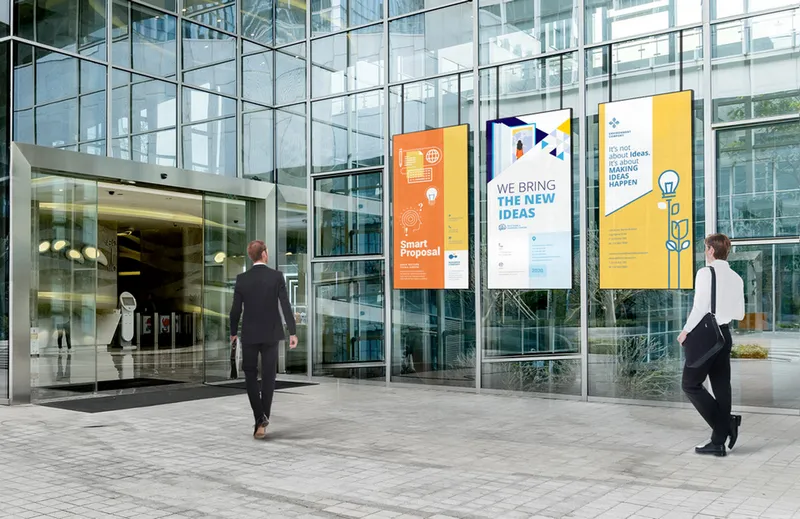
The fix is a display built to work through and against glass — the class of products RisingStar calls window facing LCD displays. These run at 2,500–4,000+ nits, use high-contrast panels that stay readable in direct sun (even through polarized sunglasses), and add solar-resilient technology so continuous UV and heat exposure does not yellow or blacken the panel. The same hardware family supports ultra-slim bezels for clean architectural mounting, dual-sided configurations that show wayfinding to pedestrians while running content to the interior, and floor-standing formats for directories that must stand freely behind glass.
Built to Run 24/7 for Years
Wayfinding screens are infrastructure, not consumer electronics. A network of 50 screens that fails one by one creates a maintenance treadmill for facilities teams. What separates professional hardware:
Industrial panels with a real supply commitment. Consumer TV panels can go end-of-life within 12 months, forcing redesigns. Industrial displays carry a 3–5 year availability guarantee so a multi-site deployment stays serviceable.
50,000-hour backlight life for continuous daytime operation, with thermal management sized for the enclosure, not the showroom.
Quality gates that matter at fleet scale: 100% factory inspection and 72-hour burn-in before shipment, CE/RoHS certification, and support that extends past the sale.

Build the Network, Not Just a Screen
Start from the visitor journey, not from the screen count. Walk the building as a first-time visitor would; find where people hesitate, then place one interactive directory at the main entry and fill the decision points beyond it with glanceable directional displays. Spec every panel for the light at its own position — and remember that glass changes everything.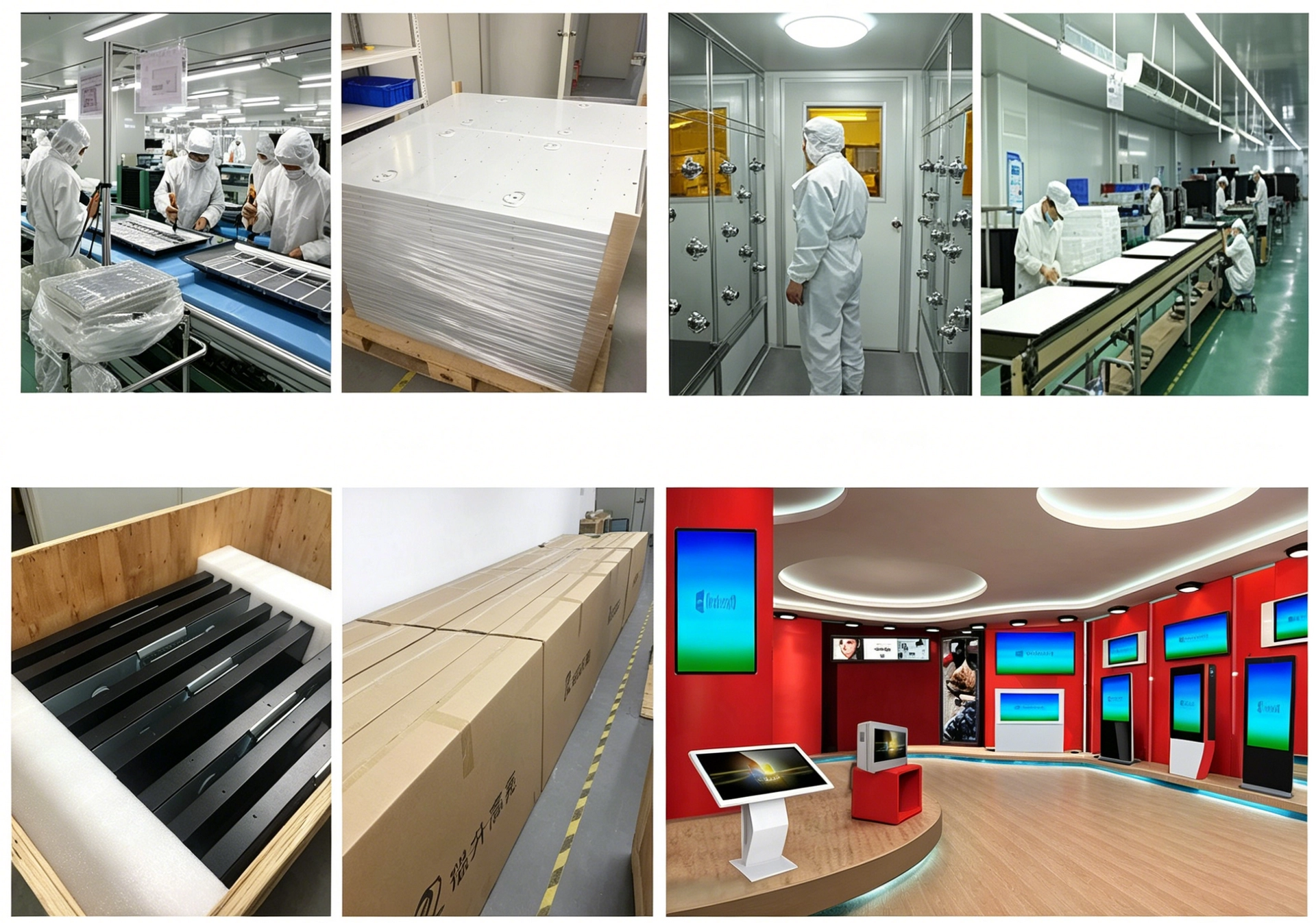
As a direct manufacturer of high-brightness, sunlight-readable LCDs since 2009, RisingStar builds wayfinding displays at every tier of that table, from 7-inch interactive modules to 110-inch atrium screens. Our factory-direct engineering means the panel, the bonding, the housing, and the playback system are designed as one unit, with OEM/ODM customization for size, brightness, and mounting. Samples ship in about 10 working days and bulk orders in 15–25.
Browse the window facing display range for storefront and glass-lobby deployments, explore the full high-brightness TFT LCD display range, or email ai@risinglcd.com to spec a wayfinding network display by display.

