
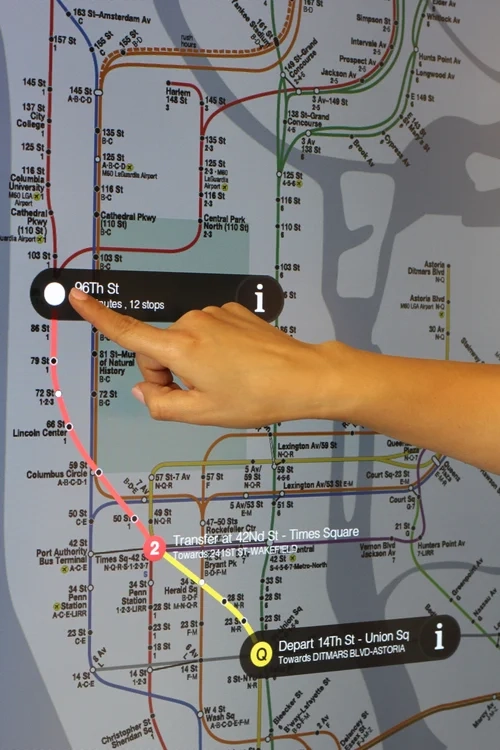
A wayfinding kiosk at a shopping mall entrance receives thousands of touches a day, many of them quick, one-handed, and performed while walking. A ticketing kiosk in a transit concourse processes financial transactions and must register every tap precisely — through gloves in winter and despite rain droplets on the glass. A digital directory in a hotel lobby runs 24/7 and doubles as an advertising surface between searches. These are smart kiosks — the interactive arm of DOOH — and their display specification determines whether the deployment feels responsive or becomes a maintenance liability.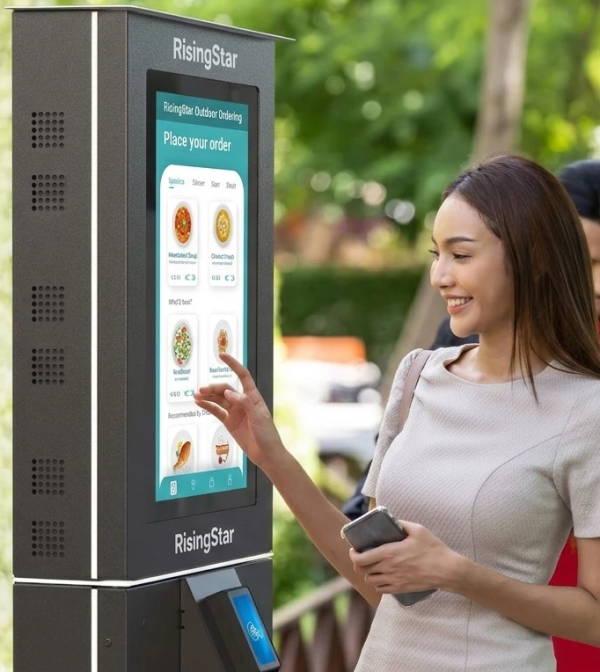
The Display Is the Interface
In a smart kiosk, the LCD is not a passive ad screen; it is the entire user interface. Every interaction flows through the panel and its touch sensor. That makes the display specification the single most important hardware decision in kiosk design. Three layers define the experience:
The panel determines legibility — resolution, brightness, color, and viewing angle for the content and interface.
The touch sensor determines input reliability — how accurately and consistently taps register.
The cover glass determines durability and optical behavior — impact resistance, anti-glare, and whether the touch reads correctly through the protection layer.
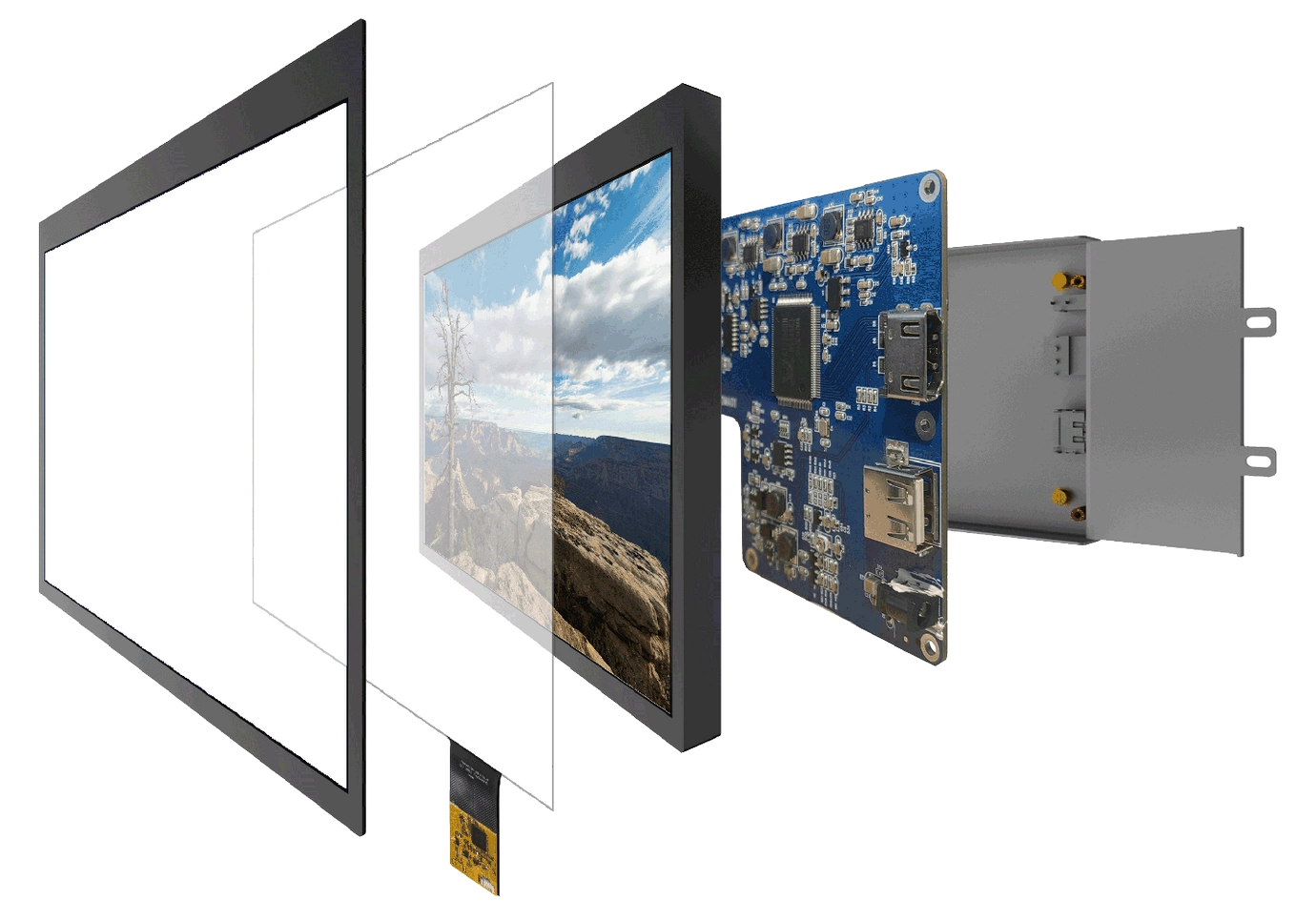
A kiosk integrator who treats these as independent components ends up with a display that looks fine on paper and fails in the field. They must be engineered as a single optical and electrical stack.
Touch Technology for Public Kiosks
Projected capacitive (PCAP) touch is the standard for smart kiosks. It supports multi-touch, survives millions of touches, and can be tuned for the conditions public kiosks actually face. Two firmware and hardware features separate a kiosk-grade PCAP from a consumer tablet sensor:
Glove and wet-hand operation. Transit and outdoor kiosks are used by people wearing gloves in winter and touching the screen in the rain. Standard PCAP sensors lose sensitivity through a glove or a water film. Kiosk-grade PCAP includes firmware modes that maintain registration through glove material and reject the false signals created by a wet surface. If your kiosk will be used outdoors or in cold climates, this is not optional — a sensor that drops input in January is a kiosk that fails in its busiest season.
Accidental-touch and palm rejection. Public kiosks are brushed, leaned on, and touched by multiple people. The sensor must distinguish an intentional tap from a palm resting on the glass or a passerby's sleeve. Kiosk PCAP firmware with palm rejection prevents phantom inputs that confuse users mid-transaction..webp)
Optical Bonding and the Touch Experience
The glass that protects a public kiosk screen sits a few millimeters in front of the LCD. Without optical bonding, that gap causes parallax: the touch coordinate registers behind the glass while the user sees the icon at the surface, so taps land offset from where the eye aims. The error is small at the center and grows toward the edges, exactly where kiosk interfaces place buttons.
Optical bonding eliminates the air gap by laminating the cover glass directly to the panel. The results matter for every kiosk application:
Touch accuracy improves because there is no offset between the visible image and the touch plane.
Durability increases: the bonded stack is stronger and the glass no longer flexes independently under impact.
Condensation disappears: with no air gap, there is no fogging between glass and panel when the kiosk warms up after a cold night or in humid environments.
Contrast improves outdoors: internal reflection is cut, making a bonded kiosk screen more readable in daylight.
For any kiosk touched by the public, bonding is what makes the interface feel precise. For kiosks outdoors or in transit environments, it is effectively mandatory.
Sizing the Panel to the Use Case
Smart kiosk form factors vary by function, and each has distinct panel requirements:
| Kiosk type | Typical screen size | Typical brightness | Touch | Key requirement |
|---|---|---|---|---|
| Indoor wayfinding / directory | 32"-55" | 700-1,200 nits | PCAP | Wide viewing angle, fast tap |
| Mall / retail information kiosk | 32"-55" | 700-1,500 nits | PCAP multi-touch | Anti-glare, vandal-resistant glass |
| Transit ticketing kiosk | 17"-32" | 800-1,500 nits | PCAP glove + wet-hand | Precise registration, IK10 glass |
| Outdoor smart-city kiosk | 32"-75" | 1,500-4,000 nits | PCAP glove + wet-hand | Sunlight readable, IP65/66 |
| Self-order / QSR kiosk | 15"-27" | 600-1,000 nits | PCAP | Fast, palm rejection, easy cleaning |
Indoor kiosks near a window or glass facade need the window-facing treatment: higher brightness (1,500+ nits) and AR/AG glass, or the content washes out in afternoon sun. Outdoor kiosks follow the full outdoor spec from the sunlight-readable discipline: high brightness, bonding, IP-sealed enclosure, thermal management, and industrial panels that resist solar heat.
Enclosure and Protection
The kiosk enclosure is where the display spec meets the physical world. Decisions here compound.
Impact protection. A kiosk in a public space will be hit. Cover glass should be IK-rated per IEC 62262 — IK08 for positions where impact is unlikely, IK10 for ticketing and public-transit units that face deliberate abuse. IK10 glass is thick, which makes optical bonding more important: the bonded stack lets the sensor read through the thick glass without parallax.
Cleaning and hygiene. Kiosks in food service and healthcare are wiped down constantly. The front glass and bezel must tolerate repeated cleaning with venue chemicals, and the design should avoid crevices where dirt accumulates. Sealed, smooth-front designs simplify cleaning.
Environmental sealing. Outdoor and semi-outdoor kiosks need full IP65/IP66 enclosure treatment. Indoor kiosks still benefit from basic sealing against dust and spills, especially when the display is mounted in a cutout of the kiosk body.
Media Player and System Integration
A smart kiosk is a display plus a computer. The integration model affects the display choice:
Open-frame or monitor + separate player. The integrator selects a media player (often Android- or Linux-based) and connects via standard interfaces (LVDS, eDP, HDMI). This is the most flexible path and suits custom kiosk housings. The display should expose clean, standard connectors and run at low power so the player and panel can share the kiosk's power budget.
Integrated Android display. The panel ships with an Android computing module built in that runs the kiosk application directly. This simplifies the BOM and suits standardized kiosk products. It requires the display manufacturer to support the OS version and app environment the kiosk software needs.
Whichever path is chosen, specify the display with the mounting pattern, cable routing, and service access of the housing in mind. Displays with standard VESA or custom mounting and front-service options reduce the cost of maintaining a deployed fleet.
Sourcing Smart Kiosk Displays
RisingStar manufactures kiosk displays from 7 to 110 inches with brightness from 500 to 5,000 nits, optically bonded PCAP touch with glove and wet-hand firmware, IK8-IK10 cover glass, IP65/IP66 enclosure options, and open-frame designs for flush integration into kiosk housings. Every unit is 100 percent factory-inspected and aged 72 hours before shipment. ISO 9001 certified.
If you are designing a wayfinding, ticketing, or interactive kiosk, send your housing drawings and touch requirements to ai@risinglcd.com and our engineers will confirm the panel size, bonding, and touch configuration for your enclosure. Explore the open frame display and LCD digital signage product lines for current options.
