💡 Quick Answers:
Why use a 15.6 inch sunlight readable display? It offers the perfect balance between readability (344×194mm active area), seamless integration (17mm depth), and supply chain stability for outdoor kiosks and EV chargers.
What brightness is required for outdoor use? 1,000 nits is the sweet spot for semi-outdoor environments, while 1,500 nits is mandatory for direct, unshaded sunlight.
It's not dramatic when an indoor monitor fails. You swap it. You move on.
But when the 15.6-inch display inside your outdoor EV charger goes dark at noon in July — right when a driver needs to see the payment screen — that's not a minor inconvenience. That's a customer standing in the sun, staring at a black rectangle, wondering if your product works.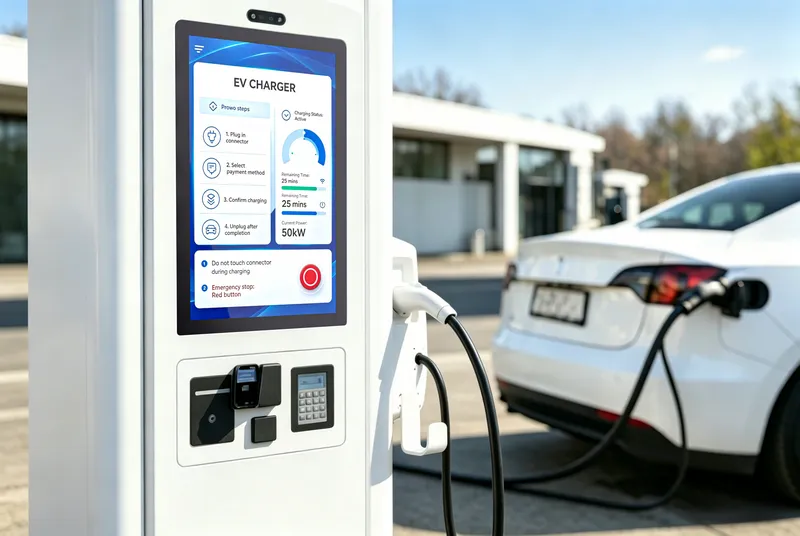
That screen didn't fail because it was defective. It failed because it was the wrong panel for the job. An indoor LCD module pushed into an outdoor enclosure, without the brightness to fight direct sun or the thermal headroom to survive the heat buildup inside a sealed cabinet.
A 15.6 inch sunlight readable display is not just a brighter version of a laptop screen. It's an entirely different engineering brief — higher luminance, wider temperature tolerance, and panel chemistry that doesn't break down when the sun hits it for hours at a stretch.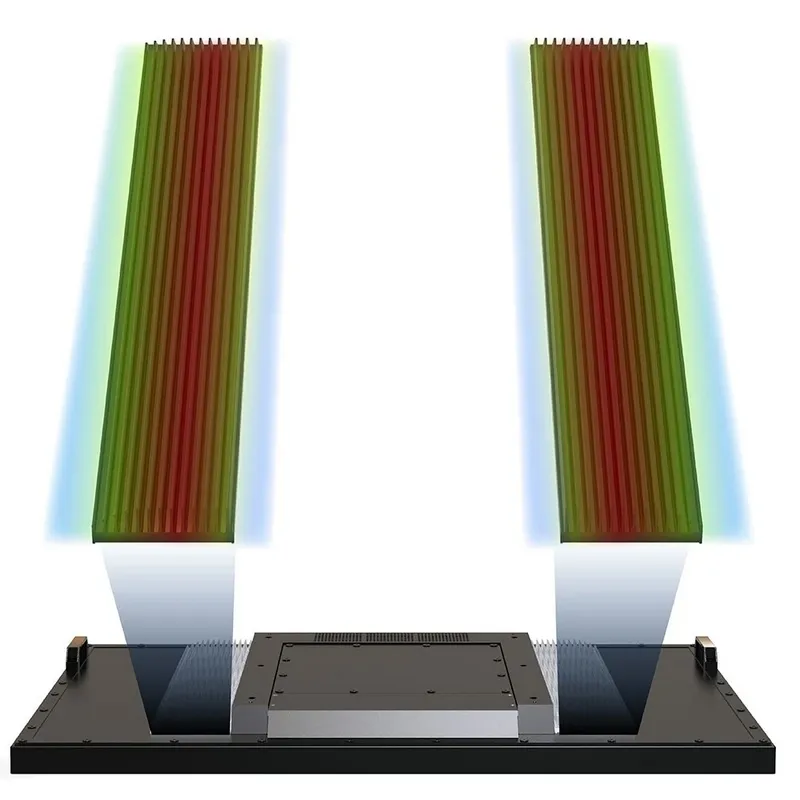
RisingStar's 15.6-inch sunlight readable display series spans 12 models across two resolution tracks, covering 500 to 1,500 nits, with standard, Hi-Tni wide-temperature, and Local Dimming variants. Here's how to pick the right one — and why it matters.
Why 15.6 Inches Is the Outdoor Sweet Spot
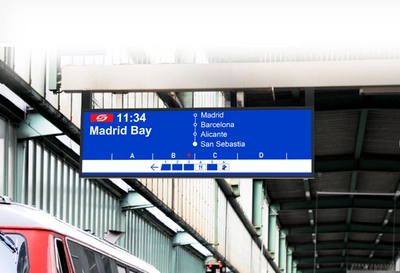
There's a reason you see 15.6-inch panels everywhere outdoors — from gas pump touchscreens to bus stop arrival boards to self-service ticket machines. It's the size that balances three things at once:
Big enough to read. At 344 × 194 mm of active area, a 15.6-inch display shows enough information for a payment interface, a route map, an ad, or a machine status dashboard — without forcing the user to squint or scroll.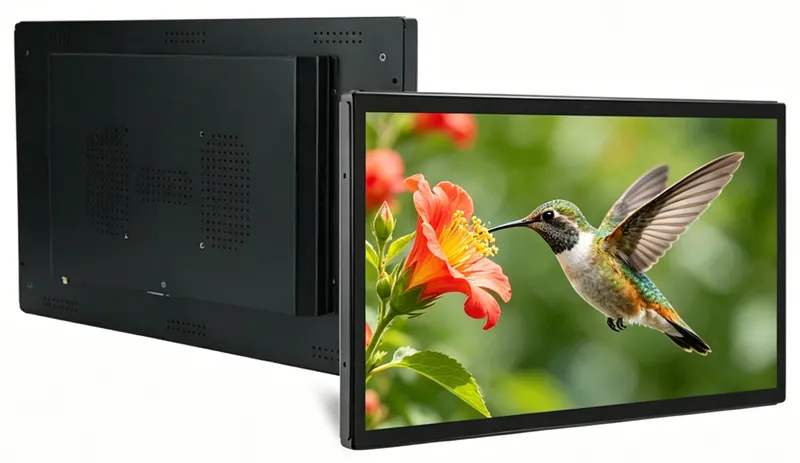
Small enough to integrate. At roughly 364 × 216 × 17 mm and 1.25 kg, the module fits into kiosk enclosures, charging station cabinets, and industrial control panels without dominating the internal volume. That 17mm depth leaves room for the touch sensor, cabling, and airflow.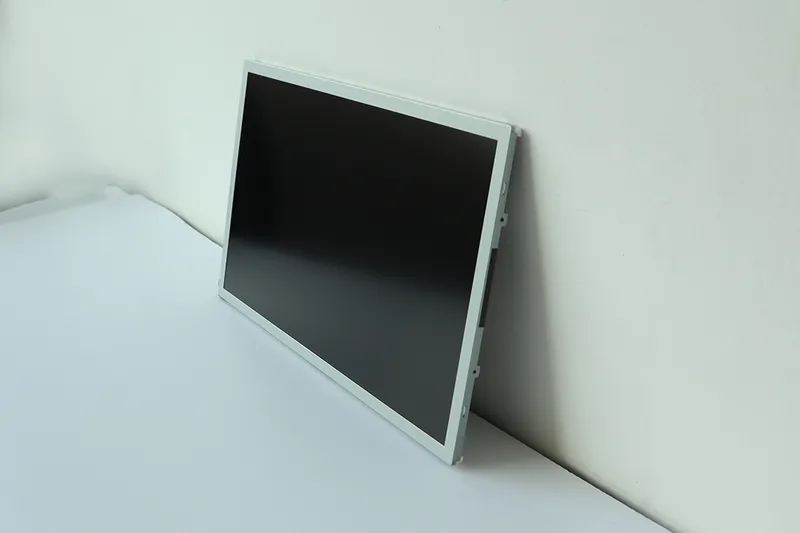
Common enough to source reliably. 15.6-inch is a high-volume consumer panel size, which means the LCD supply chain is deep. Panel availability is stable. Replacement modules are easy to stock. Nobody wants to design a product around a niche panel size that goes end-of-life in 18 months.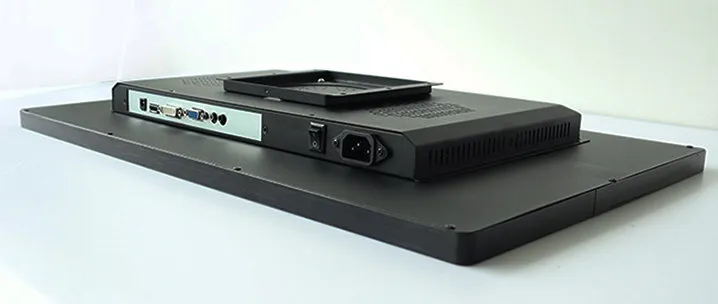
Brightness: The Number That Actually Matters Outdoors
Brightness, measured in nits (cd/m²), is the first spec everyone checks — and the one most often misunderstood.
A standard office monitor puts out 250 nits. Under 100,000 lux of direct sunlight, that 250 nits gets buried by ambient glare. The screen looks washed out, and the user can't read it without cupping their hands over the glass. That's the physics: the perceived contrast drops below the Weber threshold (~0.1) because the reflected ambient light overwhelms the display's emitted light.
For outdoor use, the brightness floor depends on how much sun the display actually faces:
| Brightness | What It Can Handle | Typical 15.6" Application |
|---|---|---|
| 500 nits | Bright indoor / near windows | Indoor kiosk by a storefront, covered lobby info panel |
| 700–800 nits | Overcast outdoor, shaded areas | Covered bus stop, gas station under canopy |
| 1,000 nits | Partial sun, semi-outdoor | EV charger with partial shade, drive-thru menu board |
| 1,500 nits | Direct midday sun, no shade | Exposed kiosk, desert installation, reflective surroundings |
RisingStar's 15.6-inch series covers this full range — from 500-nit entry panels for sheltered installations to high-luminance solutions like the 15.6 inch 1500 nits high brightness LCD panel (RS156XW-NE15), engineered to remain fully readable under direct tropical sunlight. Every panel in the series uses WLED backlighting with a rated lifespan of ≥50,000 hours — about 5.7 years of continuous 24/7 operation before reaching half brightness.
But brightness alone isn't the whole story. The surface treatment matters just as much. Every RisingStar 15.6-inch panel ships with Anti-Glare (AG) matte surface treatment and a 3H hard coating — the AG finish scatters ambient reflections so the screen doesn't act like a mirror, and the 3H coating resists scratches from daily cleaning and incidental contact.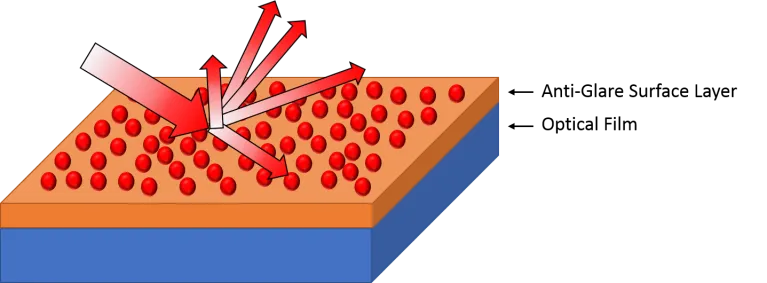
If your application lives behind glass — a storefront window, a protective enclosure — consider adding optical bonding. It eliminates the air gap between the LCD and the cover glass, cutting internal reflections by up to 90%. A 1,000-nit optically bonded panel can deliver better readable contrast than a 1,500-nit air-gap panel. RisingStar provides optical bonding as a configurable option.
Two Tracks: WXGA vs. FHD — Which One Fits?
RisingStar's 15.6-inch series splits into two resolution families, and the choice comes down to what you're displaying and what you're plugging into.
WXGA (1366×768) — The Cost-Effective Workhorse
The WXGA track uses TN (Twisted Nematic) LCD mode with LVDS 30-pin interface. It's the pragmatic choice when readability matters more than pixel density. For standard outdoor kiosk integration, the 15.6 inch 1000 nits outdoor sunlight readable LCD module (RS156XW-NE10) serves as the industry workhorse.
TN panels have one standout advantage for outdoor use: fast response time. The WXGA series clocks 8ms (Tr+Tf), which means no motion blur on scrolling text or animated ads. The trade-off is narrower viewing angles (85/85/80/80°) — fine for a display that one person faces head-on, like a parking lot payment kiosk or a vending machine screen. Less ideal for a public display viewed from multiple angles.
The LVDS interface is universal in the embedded computing world. If your host board has an LVDS output, these panels are plug-and-play — no converter board, no signal translation, no extra BOM line item.
When WXGA makes sense: Parking gate displays, bus stop arrival boards, industrial machine status panels, digital signage where content is simple (text, icons, basic graphics), and any project where budget per unit matters more than pixel count.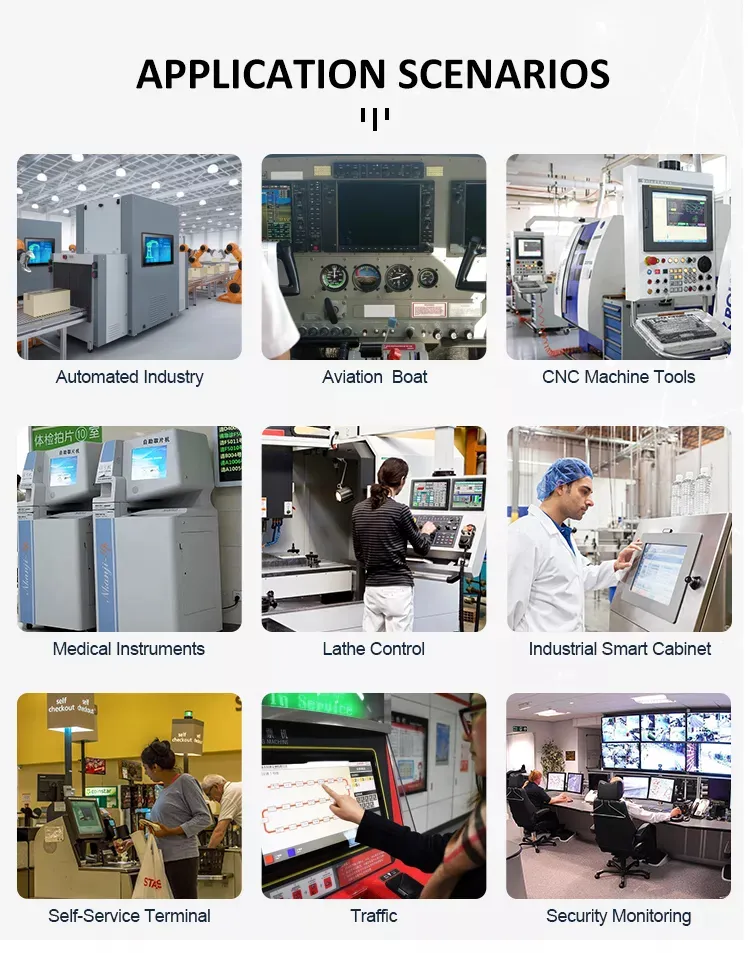
FHD (1920×1080) — Where Image Quality Counts
The FHD track moves to IPS (In-Plane Switching) LCD mode with eDP 30-pin interface. IPS brings two things the WXGA track doesn't: 89° viewing angles in all four directions and true 8-bit color depth (16.7M colors).
An IPS panel at 178°/178° means someone standing to the side of your charging station sees the same colors and contrast as someone standing directly in front. For public-facing interactive displays — ticketing kiosks, information terminals, retail wayfinding — that consistency matters. Nobody should have to reposition themselves to read the screen.
The 1000:1 contrast ratio (vs. 500:1 on WXGA) also means deeper blacks and better image depth — noticeable when your UI uses dark backgrounds, when you're showing photographs, or when the screen carries brand-critical visual content.
The eDP interface is the modern embedded display standard, common on newer ARM and x86 single-board computers. If your host platform uses eDP, the FHD panels connect directly.
When FHD makes sense: EV charger touchscreens, retail self-service kiosks, medical device interfaces, premium digital signage with photographic content, and any installation where color accuracy and off-angle viewing matter.
Hi-Tni: The Thermal Difference That Prevents Black Screens
Here's a failure mode that surprises people who are new to outdoor displays: TNI blackening.
Standard LCD panels use liquid crystal formulations with a clearing point — the temperature at which the ordered nematic phase collapses — of around 65–80°C. In an outdoor enclosure under direct sun, the internal temperature of a 1,000+ nit panel can push past 60°C within half an hour. If the backlight heat combined with solar loading pushes the LCD layer past its clearing point, the liquid crystal loses its ability to modulate light. The screen doesn't just dim — it develops permanent dark patches that don't recover.
RisingStar's FHD series includes Hi-Tni (High Temperature Nematic) variants. For instance, the 15.6 inch industrial high brightness TFT LCD panel (RS156HCE-GE10) utilizes specialized liquid crystals that raise the clearing point to ≥110°C. That's a 40–45°C thermal safety margin over standard panels. In practical terms: a Hi-Tni panel in a sealed outdoor enclosure under direct tropical sun simply doesn't blacken.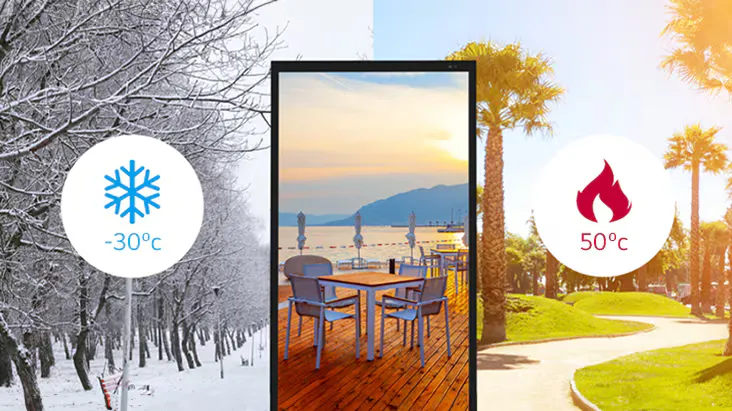
The Hi-Tni variants also extend the operating temperature range to -20°C to 70°C (versus 0–60°C for the standard WXGA series) and the storage range to -30°C to 80°C. For installations in desert climates, equatorial regions, or anywhere with extreme seasonal temperature swings, Hi-Tni is not optional — it's the difference between a display that works and a display that gets replaced.
Local Dimming: When Contrast Is the Priority
For applications where image depth matters — premium retail displays, high-end digital signage, content where dark scenes need to look dark — RisingStar offers the RS156M1L series with Local Dimming technology.
Standard backlights illuminate the entire panel uniformly. If the image has a black region, the backlight is still shining through it at full power — the black is achieved by the LCD blocking the light, but some always leaks through, producing a gray-ish black.
Local Dimming divides the backlight into independently controllable zones. When a zone of the image is dark, the LEDs behind that zone dim or turn off. The result: deeper blacks, higher effective contrast, and better visual impact for content that mixes bright and dark areas. It also saves power — LEDs that are dimmed or off consume less energy.
Quick Selection: Match Your Application
| Application | Recommended Model | Brightness | Resolution | Why This One |
|---|---|---|---|---|
| Budget outdoor signage | RS156XW-NE07 | 700 nits | WXGA | Cost-effective TN panel, LVDS plug-and-play, bright enough for shaded outdoor |
| Standard outdoor kiosk | RS156XW-NE10 | 1,000 nits | WXGA | The workhorse — 1,000 nits hits the sweet spot for most semi-outdoor deployments |
| EV charger / fuel pump | RS156HCE-GE10 | 1,000 nits | FHD | FHD IPS for payment UI clarity, Hi-Tni for sealed enclosure heat tolerance |
| Direct sun, no shade | RS156XW-NE15 | 1,500 nits | WXGA | Maximum brightness for exposed installations — readable at high noon |
Integration: What You Need to Know Before You Order
A display module is one component in a larger system. A few things to check before finalizing your spec:
Interface compatibility. WXGA models use LVDS 30-pin. FHD models use eDP 30-pin. Verify your host board's video output before selecting a panel — an LVDS-to-eDP converter adds cost and a potential failure point.
Power budget. The WXGA series runs on 5.0V logic with 12V backlight power. The FHD series uses 3.3V logic with 12V backlight. Backlight power scales with brightness — a 1,500-nit panel draws more than a 500-nit panel. Size your power supply accordingly.
Touch integration. The bare LCD modules ship without touch. If your application needs a touchscreen, RisingStar offers PCAP (Projected Capacitive) touch overlays configured for the 15.6-inch form factor, with glove-compatible and wet-hand rejection firmware tuning available.
Enclosure design. The panel surface carries an IP rating only after you seal it into your enclosure. The module itself is not waterproof — plan your bezel gasket, mounting torque sequence, and drainage path as part of the mechanical design.
The Bottom Line
A 15.6-inch sunlight readable display isn't a component you buy off a spec sheet and forget about. The right panel for a shaded bus stop is the wrong panel for a desert charging station. The interface that works with your legacy industrial PC might not work with your next-gen ARM board.
RisingStar's 15.6-inch series gives you the range to match the panel to the environment — not the other way around. 500 to 1,500 nits. WXGA TN for cost efficiency, FHD IPS for image quality. Standard LC for sheltered deployments, Hi-Tni for everything that faces the sun. LVDS or eDP, depending on your platform.
Picking the right panel takes about 15 minutes with the right information. Send your application details — environment, brightness target, resolution preference, interface — to ai@risinglcd.com. Our engineering team responds with a configuration recommendation and sample timeline within one business day.
Browse the full range: 15.6" High Brightness Display Series
Frequently Asked Questions (FAQ)
Q: Can I use a standard 250-nit monitor outdoors if I put it in a waterproof enclosure?
A: No. While an enclosure protects against moisture, a 250-nit screen will be entirely washed out by ambient daylight glare (which can exceed 100,000 lux). Furthermore, standard indoor panels lack Hi-Tni liquid crystals and will rapidly develop permanent thermal blackening when solar heat builds up inside the enclosure.
Q: Should I choose an LVDS or eDP interface for my 15.6-inch panel?
A: It depends entirely on your host computer's video output. LVDS (found on our WXGA TN panels) is a reliable legacy standard supported by many industrial PCs. eDP (used on our FHD IPS panels) is the modern standard required by newer ARM and x86 single-board computers. Always match the panel interface natively to your board to avoid relying on adapter boards, which add cost and potential points of failure.
Q: Do I really need optical bonding for an outdoor kiosk?
A: If your display sits behind a secondary protective cover glass (like vandal-resistant glass), optical bonding is highly recommended. It fills the air gap between the LCD and the cover glass with optical resin. This prevents internal reflections, eliminates the risk of condensation (fogging) in cold weather, and can increase perceived outdoor contrast by up to 90%.
Q: How much power does a 1,500-nit 15.6-inch display consume?
A: High luminance requires a stronger backlight. While a standard indoor 15.6-inch panel might draw around 10-15W, a 1,500-nit sunlight readable module typically draws 25-35W. Integrators must ensure their power supply unit (PSU) and internal cooling mechanisms are scaled appropriately to handle this increased electrical and thermal load.
Q: What is the typical lead time for testing a RisingStar 15.6-inch display?
A: For standard configurations (bare module or standard PCAP touch), RisingStar typically delivers testing samples within 10 working days. For bulk orders or deep OEM customizations—such as specific touch firmware tuning for heavy gloves or custom mounting brackets—production lead times are generally 15-25 working days.