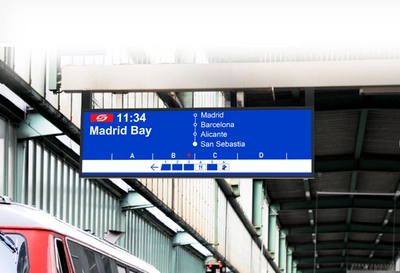
Railway stations and metro platforms are among the most demanding environments for digital signage. Passengers expect real-time information about train schedules, platform changes, and service disruptions — regardless of weather conditions or time of day.
A well-designed train passenger information display system is no longer optional. It is a critical component of modern transit infrastructure that directly impacts passenger satisfaction, operational efficiency, and overall safety.
This guide covers everything you need to know about selecting, deploying, and maintaining passenger information displays for railway and metro applications.
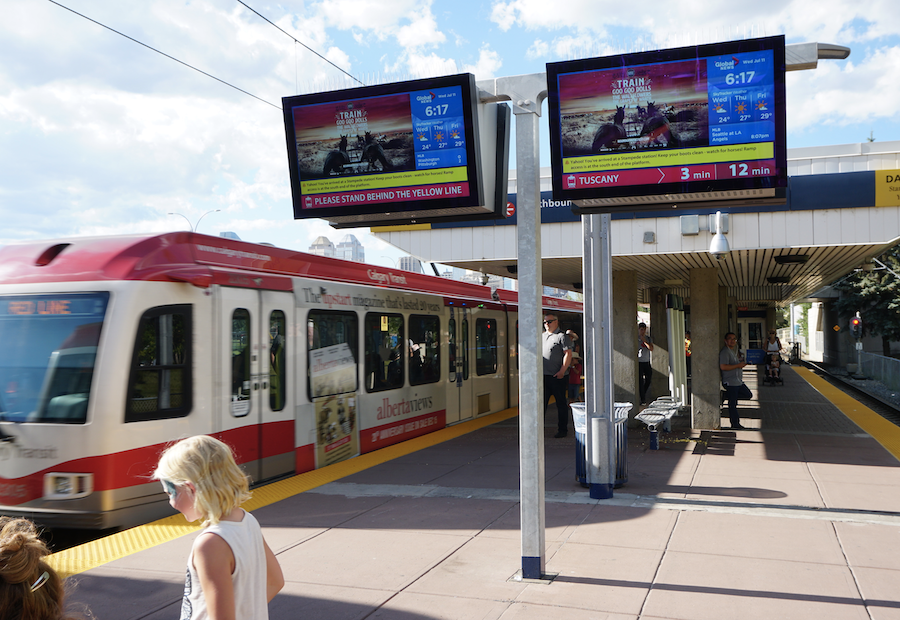
What is a Passenger Information Display System (PIDS)?
A Passenger Information Display System (PIDS) is a digital information network that provides real-time transit information to passengers. It typically includes:
Platform Displays: Showing next train times, destinations, and platform numbers
Station Hall Displays: Providing overview of all services and connections
Wayfinding Displays: Guiding passengers through stations
Emergency Displays: Broadcasting safety announcements and alerts
Modern PIDS integrates with central control systems to deliver accurate, synchronized information across entire transit networks.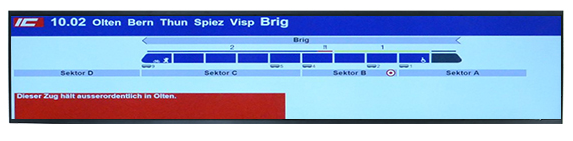
Key Challenges in Railway Display Deployments
1. Direct Sunlight on Outdoor Platforms
Open-air railway platforms receive full sun exposure throughout the day. Standard indoor displays (300-500 nits) become completely unreadable when ambient light exceeds 10,000 lux — a threshold reached on most sunny days.
Impact: Passengers cannot see train times, leading to confusion, missed connections, and increased inquiries to station staff.
Solution: High-brightness train passenger information displays (1000-5000 nits) with optical bonding and anti-glare treatment ensure absolute readability even under direct sunlight.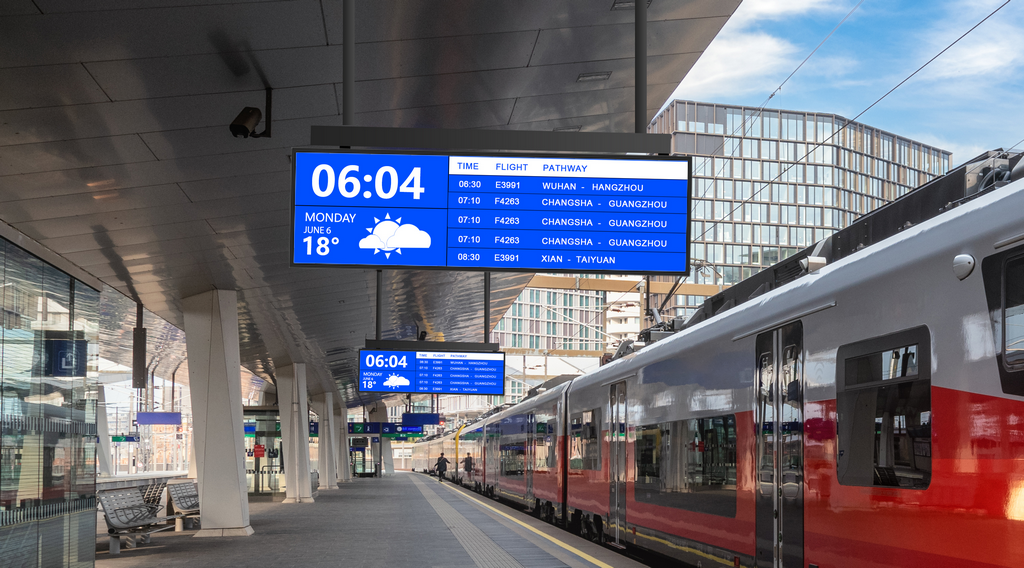
2. Temperature Extremes
Outdoor platforms experience dramatic temperature swings. In summer, enclosed canopy areas can reach 70°C or higher. In winter, temperatures drop below -20°C in many regions.
Impact: Standard displays fail to start in cold weather. Liquid crystals degrade and develop permanent black spots when surface temperature exceeds 70°C.
Solution: Industrial-grade train passenger information display panels equipped with Hi-Tni (Heat Resistant) technology prevents panel blackening under intense heat. Integrated PTC heating elements also enable reliable cold-start operation below 0°C.
3. Rain, Snow, Dust, and Corrosion
Railway infrastructure is exposed to the elements year-round. Moisture ingress causes circuit board corrosion. Dust accumulation blocks cooling vents. Coastal stations face additional salt spray corrosion.
Impact: Display failures increase maintenance costs and create service gaps. Premature replacement becomes necessary.
Solution: IP65/IP66 sealed enclosures provide complete protection against water jets, dust ingress, and corrosive environments. All connectors and cable entries use waterproof glands.
4. 24/7 Continuous Operation
Railway information systems must run continuously. Any downtime disrupts passenger flow and creates safety risks during emergencies.
Impact: Commercial displays rated for 8-12 hours/day operation fail prematurely when run 24/7. Backlight degradation reduces visibility over time.
Solution: Industrial-grade WLED backlights rated at up to 50,000 hours (5.7+ years of continuous operation). No warm-up time required. Minimal brightness degradation over lifespan.
5. Integration with Legacy PIS
Railway operators typically have existing passenger information systems from vendors like Siemens, Alstom, or Thales. New displays must integrate seamlessly without replacing entire infrastructure.
Impact: Proprietary interfaces require expensive custom adapters. Compatibility issues delay deployment.
Solution: Standard LVDS, eDP, HDMI, and Ethernet interfaces ensure plug-and-play compatibility. Custom firmware available for proprietary protocols.
Solution Architecture
A robust train passenger information display system typically consists of three foundational layers:
Layer 1: Display Hardware
The physical screens installed throughout the station. Key considerations:
Brightness: Match to installation environment (see selection guide below)
Size: Determined by viewing distance and mounting constraints
Format: Standard 16:9 or ultra-wide stretch bars for overhead mounting
Protection: IP65 for outdoor, IP65/IP66 for harsh coastal/industrial areas
Layer 2: Content Management
Software platform that controls what information appears on each display:
Real-time Data Integration: Connects to train scheduling systems
Multi-zone Layouts: Show train times, advertisements, and emergency alerts simultaneously
Remote Management: Firmware updates, diagnostics, and content scheduling
Emergency Override: Priority broadcasting for safety announcements
Layer 3: Connectivity
Network infrastructure connecting displays to central control:
Wired Ethernet: Most reliable for fixed installations
4G/5G Wireless: Backup connectivity or remote locations
Fiber Optic: Long-distance runs in large stations
Redundant Paths: Ensures continuity if primary connection fails
Brightness Selection Guide
Choosing the right brightness is critical for visibility and energy efficiency:
| Environment | Recommended Brightness | Rationale |
|---|---|---|
| Underground metro platforms | 500-1000 nits | Controlled lighting, no direct sun |
| Covered outdoor platforms | 1000-2000 nits | Partial sun exposure |
| Standard outdoor platforms | 2500-3500 nits | Full sun exposure most of day |
| Direct sun / tropical climates | 4000-5000 nits | Extreme ambient light conditions |
Note: Higher brightness increases power consumption. Use ambient light sensors to auto-dim during evening hours, significantly reducing energy costs.
Installation Best Practices
Platform Canopy Mounting
Positioning: Mount displays overhead, parallel to platform edge. Angle slightly downward (10-15°) for optimal viewing from passenger waiting areas.
Height: Minimum 2.5m above platform level to avoid head strikes. Consider clearance for maintenance access.
Cabling: Run all cables through conduit. Use waterproof connectors rated IP67 or higher. Include service loops for future maintenance.
Station Hall Mounting
Positioning: Install at eye level (1.5-1.7m) for wall-mounted displays. Ceiling suspension for large format displays in central halls.
Viewing Distance: Calculate based on text size. Rule of thumb: 1 inch of text height per 10 feet of viewing distance.
Ambient Light: Position displays perpendicular to windows where possible. Avoid direct backlighting from skylights.
Outdoor Wayfinding
Positioning: Place at decision points — station entrances, platform access points, pedestrian intersections.
Protection: Use vandal-resistant glass (IK10 rating) in public areas. Consider anti-graffiti coating for high-traffic locations.
Lighting: Integrate with station lighting design. Ensure displays remain visible at night without creating light pollution.
Maintenance Considerations
Preventive Maintenance
Quarterly: Visual inspection for water ingress, connector corrosion, and physical damage
Semi-annual: Clean optical surfaces with approved cleaners. Check mounting hardware for loosening.
Annual: Full functional test. Verify brightness levels and color accuracy. Update firmware if available.
Remote Diagnostics
Modern displays support remote monitoring:
Temperature Alerts: Notify if operating temperature exceeds safe range
Backlight Hours: Track usage for predictive replacement scheduling
Signal Status: Alert if input signal is lost or degraded
Power Events: Log power failures and brownouts for troubleshooting
Spare Parts Strategy
For large deployments, maintain 5-10% spare units on-site:
Enables immediate replacement during failures
Reduces passenger impact from display outages
Allows scheduled maintenance without service gaps
Recommended Train Passenger Information Display Products
Based on typical railway deployment scenarios, here are our most commonly specified train passenger information display models:
Outdoor Platform Displays
For open-air railway platforms and metro station platforms:
43" Stretch Bar Display — 1920×360 resolution, 3000 nits, ideal for standard platform canopy installation
49.5" Stretch Bar Display — 1920×540 resolution, 4000 nits, for large platforms requiring more display area
55" High Brightness Display — 1920×1080, up to 5000 nits, premium installations in extreme sun locations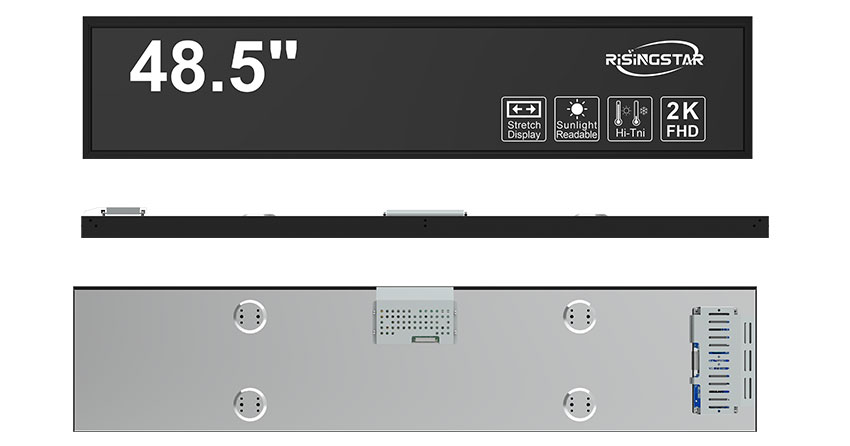
Station Hall Displays
For large station concourses and departure halls:
65" High Brightness Display — 4K UHD, 3000 nits, medium-sized concourses
75" High Brightness Display — 4K UHD, 3000 nits, large departure halls
86" 4K Outdoor Display — 4K UHD, 3000 nits, central information walls
Underground Metro Displays
For underground platforms and tunnel entrances:
28" Stretch Bar Display — 1920×360, 1000 nits, compact platform edges
29.4" Stretch Bar Display — 1920×720, 1500 nits, standard underground platforms
37" Stretch Bar Display — 1920×540, 1000 nits, high-traffic interchange stations
Complete Product Range
For full specifications and additional sizes, browse our TFT LCD Passenger Information Display collection.
FAQ
Q: Can displays integrate with our existing PIS?
A: Yes. Standard LVDS, eDP, HDMI, and Ethernet interfaces support integration with major PIS platforms including Siemens, Alstom, and Thales. Custom firmware available for proprietary protocols.
Q: What warranty is provided?
A: 2-year standard warranty covering manufacturing defects and component failures. Extended 3-year warranty available for large-scale deployments.
Q: Are displays suitable for coastal stations?
A: Yes. IP66 rating and anti-corrosion coating protect against salt spray. Proven deployments in coastal cities across Southeast Asia and the Mediterranean.
Q: How do you handle installation support?
A: We provide detailed installation drawings, mounting templates, and cable diagrams. For large projects, remote video consultation is available during commissioning.